Home Sports Surfaces Testing About Request a Quote
Surface Application

UV Printing for
Backlit Signage & Light Boxes.

Illuminated graphics built for transmitted light, not reflected light — the white-ink layer decides whether a backlit sign looks right lit or dark, and that's a file decision made before the job runs.

Request a Quote →
The Short Answer

Backlit UV Printing Is the Same Press, a Different File

A UV printer can produce a backlit-ready graphic on the same equipment used for an opaque wall panel — the substrate changes to a translucent film or panel, and the ink layering changes from a full opaque white base to a white density calibrated for light passing through the print rather than bouncing off it. Get the white layer wrong and the sign either looks dark and lifeless at night or blotchy where the density isn't even. Get it right and the graphic reads correctly whether the light box is on or off, day or night. That calibration — not the printer, not the color ink — is what a backlit job actually is.

Where It Shows Up

Storefronts, Menu Boards, and Illuminated Wayfinding

Retail storefront light boxes and illuminated menu boards are the most common request — a business already has the frame and the light source, and needs a new or replacement graphic that reads correctly once it's dropped in and powered on. Backlit wayfinding and directory panels show up in the same category as the illuminated signage covered in our signage and wayfinding guide, just with a light source behind the panel instead of ambient room light in front of it.

Trade show and event booths use backlit panels as a focal wall because an illuminated graphic pulls attention across a crowded floor — see our trade show display guide for the rest of that build. Restaurant and hospitality menu boards, retail point-of-purchase light boxes, and interior feature walls in the kind of architectural work covered on our interior design and architecture guide round out most orders — anywhere a graphic needs to work as both a daytime sign and a nighttime glow.

Storefront and retail light box inserts
Illuminated menu boards for restaurants and cafes
Backlit trade show and event focal walls
Illuminated wayfinding and directory panels
Double-sided light box graphics
Talk Through Your Project →
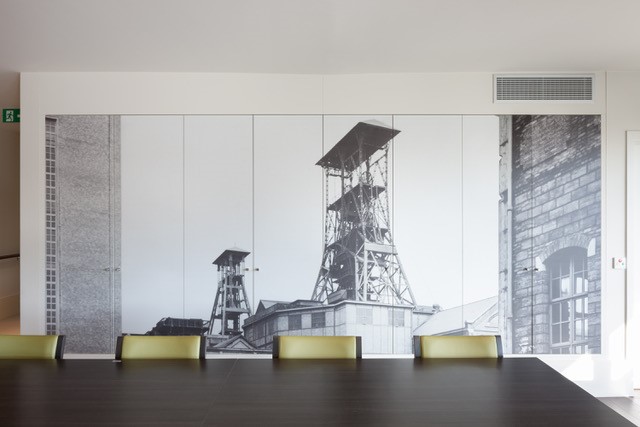
Interior panel finish suited to an illuminated light box application
Fit Check

Where This Fits a Backlit Project — and Where It Doesn't

A Strong Fit

  • An existing light box or SEG-style frame that needs a new or replacement film insert
  • A graphic that has to read correctly both with the light on and off, day and night
  • Rigid translucent panels — acrylic or similar — where the light box is a hard-panel build rather than a swap-in film

Worth a Second Look

  • Very large backlit walls — stadium concourses, big-box interiors — where a stretched illuminated fabric (SEG) system may be lighter and cheaper per square foot than a printed film insert; that's typically a dye-sublimation fabric process, a different job than UV film printing
  • A replacement panel that has to match an existing installed graphic's exact look under the same light source — worth a lit color-match swatch before committing to the full run

Not a Good Fit

  • Stretched illuminated fabric (SEG) walls — that's a textile dye-sublimation product, not a UV film print, even though the end result sits in a similar frame
  • A light box graphic ordered without knowing single- vs. double-sided, or the light source behind it

What to Confirm Before It Goes to Print

  • Frame model and exact panel dimensions, including trim or overlap allowance
  • Single-sided or double-sided viewing
  • LED or fluorescent light source behind the panel — color temperature affects how the print reads
  • Film insert or rigid translucent panel
Ink Decisions

Why the White-Ink Layer Decides How a Backlit Sign Looks Lit

Industry write-ups on backlit UV printing describe a triple-pass color-white-color layering technique: a base pass of the design, a white-ink foundation layer, then the design printed again on top, with the white layer acting as a density control between the color and the light source rather than a simple opaque backing. That's a different job than the white underbase used on an opaque tinted substrate, which is covered in general on our white ink and opaque underprinting guide — on a wall panel, white is there to stop the substrate color from showing through reflected light; on a backlit film, white is there to control how much transmitted light gets through evenly, area by area.

Get that density wrong in either direction and the sign shows it. Too little white in a given area and more light bleeds through there than everywhere else, producing the patchy, uneven look that signmaker forums describe as "washed out" backlit panels — usually traced back to inconsistent white coverage rather than a bad ink batch. Too much white overall and the sign goes flat and dim at night, because the density built to make a wall graphic pop under reflected light is the same density that blocks transmitted light on a backlit film. The fix in both cases is the same: calibrate the white layer to the specific film and light source on a lit proof, not a proof viewed only in daylight, before the full run goes down.

The substrate matters too. Backlit graphics run on translucent film — commonly a 7 mil class of polyester film sold specifically for light box and backlit use, a different product than a standard opaque print film — or on rigid translucent panel material like acrylic when the job is a hard panel build rather than a drop-in insert. Send us the frame, the light source, and whether you need film or a rigid panel, and the white-ink pass gets built for that specific setup rather than guessed at.

When to Quote

What We Need Before We Price a Backlit Job

We quote from the frame and the light source, not from a photo of "a light box." Send the list below and you get a real spec and a real number.

Send This

  • Frame or light box model and exact panel dimensions
  • Single-sided or double-sided, and whether both sides need different artwork
  • LED or fluorescent light source, if known
  • Film insert vs. rigid translucent panel build
  • Whether this replaces an existing installed graphic that needs a color match under the same light
  • Artwork status — final file, or still in design. File-prep rules live on file prep requirements

We Will Tell You

  • Whether film or rigid panel fits your frame
  • How the white-ink layer gets calibrated for your specific light source
  • Whether a lit proof swatch belongs on the job before the full run
  • Whether a stretched SEG fabric system, not a printed film, is the honest answer for a very large backlit wall

If the project is a court, tile, or other sports surface rather than a light box, that belongs on Sports. If you're still choosing a substrate, start at the surfaces hub.

What to Expect

UV-Printed Backlit Graphics — Practical Notes

Weathering hours, hardness ratings, and general care apply to our opaque substrates and live on the testing page and durability and care — we're not reprinting those as a backlit-specific score here.

💡

Ink Layering

Color-White-Color

A density-controlled white pass between two color passes, calibrated for transmitted rather than reflected light.

🧾

Substrate

Translucent Film or Panel

7-mil-class translucent polyester film for inserts, or rigid translucent acrylic for hard-panel builds.

🌗

Viewing

Day & Night Readable

Reads as a standard color graphic in ambient light and illuminates evenly once the light source is on.

🖼️

Install

Drop-In Frame Fit

Cut to your existing light box or SEG-style frame dimensions — single- or double-sided.

View Full Testing Data →
FAQ

UV Printing for Backlit Signage & Light Boxes — Common Questions

Can UV printing be used to make backlit signage or light box graphics?

Yes. A UV printer jets ink onto a translucent film or rigid translucent panel, and the file is built with a white-ink layer sized for transmitted light. The graphic then drops into a light box or SEG-style frame and reads correctly whether the light is on or off.

What's different about printing a graphic that will be backlit versus a regular wall graphic?

A standard print is viewed by reflected light, so a full opaque white base makes it pop. A backlit print is viewed by transmitted light, so that same opaque base blocks the light and looks dark at night. The white layer has to be tuned for light passing through it, not bouncing off it.

Why do some backlit signs look patchy or washed out, and how is that avoided?

Uneven white-ink density is the usual cause. The fix is a controlled color-white-color layering pass calibrated to the specific light source and film, checked on a lit proof before the full run. See our white ink and opaque underprinting guide for the related opaque-surface version of this decision.

What material is actually used for backlit UV graphics?

Translucent polyester film — commonly a 7-mil class of material sold for backlit and light box use — for flexible inserts, or rigid translucent acrylic for hard-panel builds. Both are purpose-built to transmit light evenly.

Can a light box be printed with two different designs for double-sided viewing?

Yes — a double-sided light box gets two separate printed graphics sharing one internal light source, each with its own file setup and white-ink calibration. Request a quote here.

Sources

What We Cited

Manufacturer and trade pages referenced for how backlit UV printing actually works. We don't treat their numbers as a Polyprint house spec.

Explore More Surfaces

Related Applications

Have a Backlit or Light Box Project?

Send your frame model, dimensions, and light source. We'll come back with what's feasible and pricing.

Website by Rank Easy Digital — websites, SEO & AI search visibility for your business. Get a free consult →